What Is the Best Family Budgeting App? 5 Options Ranked
Which family budgeting app fits your household? We rank Monarch Money, YNAB, Zedger, Goodbudget and Cozi on what they do well, what they cost and one honest drawback.

Arun Andiselvam

The best family budgeting app for your household depends on how your household actually handles money. It has nothing to do with which app has the longest feature list. A family where one person pays every bill needs something different from a family where two adults split groceries, school fees, and the electricity bill between them.
So instead of crowning one winner, we've put together a ranked shortlist of real options. We'll cover what each one does well, what it costs, and one genuine drawback for each. Here are the quick picks:
- Best for seeing all your accounts in one place: Monarch Money
- Best for changing spending habits: YNAB
- Best for shared household spending and splitting: Zedger
- Best for envelope budgeting without bank linking: Goodbudget
- Best for families who want a calendar and budget together: Cozi
Here's a closer look at each one.
1. Monarch Money. Best for seeing every account in one place
Who it suits: Families who want a full financial dashboard. Checking, credit cards, loans, and investments all update themselves without much effort, so both partners can log in and see the same numbers. This category of app was built for you.
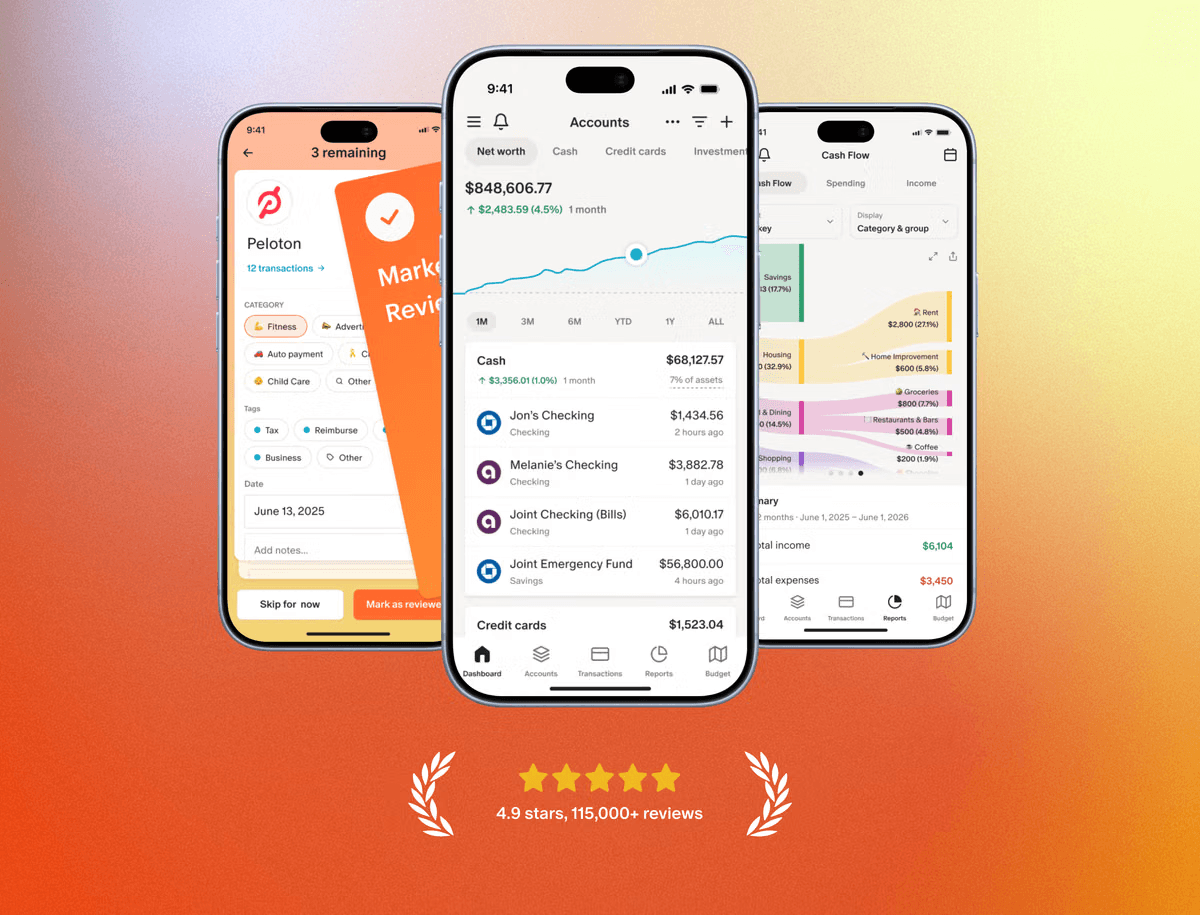
What it does well: Automatic transaction syncing is the main draw. Transactions get pulled in, categorized, and rolled into spending reports you didn't have to build. Shared household access means both adults see the same picture, and that quietly ends a lot of "I thought you paid that" conversations.
Price: Paid subscription with a free trial. Billing annually brings the monthly cost down, and there's no permanent free tier.
One honest drawback: Bank connections are the weak point, and they fail in ways that are genuinely painful. Smaller banks and credit unions are the usual culprits. A connection breaks, you open a support ticket, and the wait for a reply can drag on. Worse, when you reconnect an account, historical transactions sometimes don't come across at all, so the spending history you were relying on is simply gone. If your bank isn't one of the big names, test this hard during the trial before you commit a year of data to it.
2. YNAB. Best for families who want to change how they spend
Who it suits: Households that want more than a record of what happened. They want a system that tells them what they're allowed to spend this week. Parents trying to break a paycheck-to-paycheck cycle tend to get the most out of it.
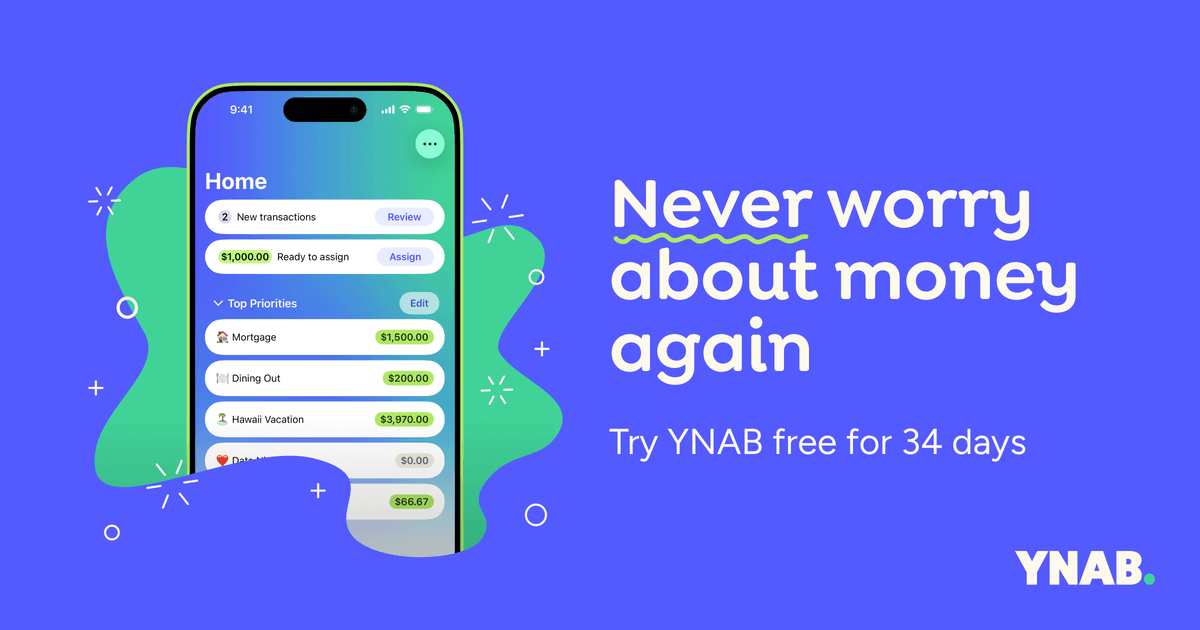
What it does well: YNAB is built on giving every rupee or dollar a job before you spend it, and that one rule does something no spending report can. It forces a decision at the moment you're assigning money, not three weeks later when the damage is already done. The teaching material around it is strong, and the plan, not a person, ends up being the one saying no to a purchase.
Price: Subscription only, with a free trial period. It sits at the expensive end of this list, and annual billing is the cheaper route.
One honest drawback: The learning curve is real, and so is the price. It's fair to ask why a budgeting app needs a monthly fee at all when perfectly usable tools cost nothing. If only one person in the household is willing to maintain the system, the method falls apart fast, and this is an app you have to actually work, not one you set and forget.
3. Zedger. Best for shared household spending and splitting
Who it suits: Families where more than one person spends on behalf of the household, and nobody wants to hand over bank credentials to do it. It's also a good fit if you're sharing with extended family or roommates, and you need to know who paid what before anyone gets annoyed about it.
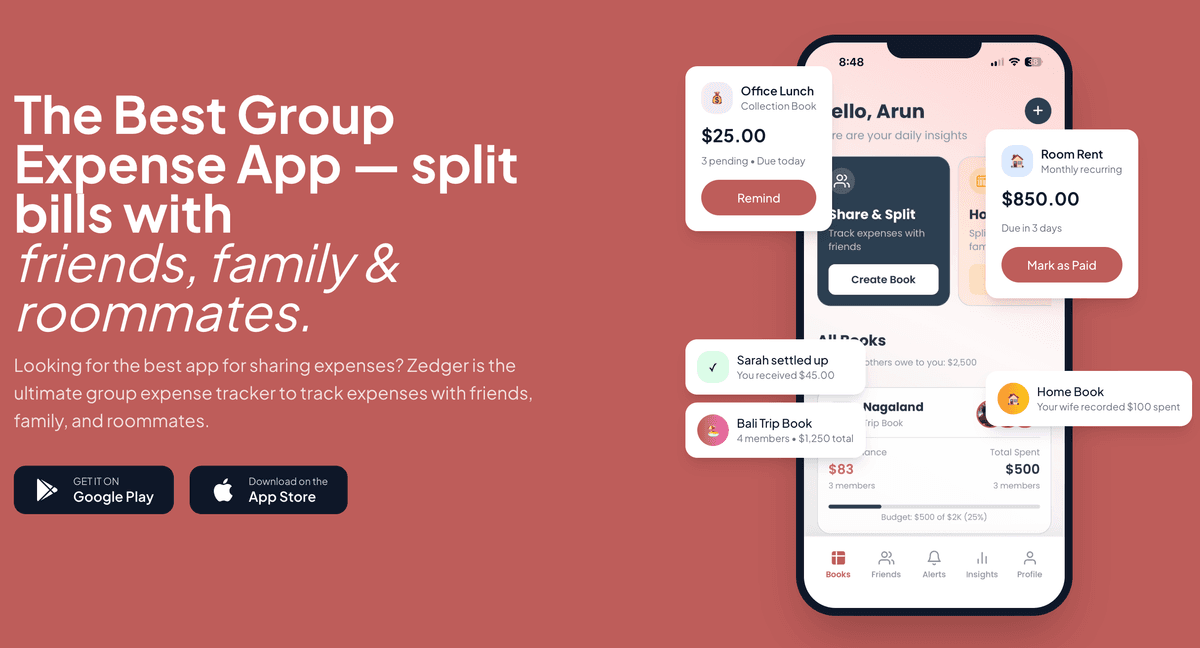
What it does well: Zedger keeps different kinds of money in separate Books instead of one long mixed list. Your household spending lives in a Family Book, a trip to Goa lives in a Trip Book, and monthly rent and subscriptions live in a Recurring Book so you're not re-typing the same entries every month. We built it this way because mixing trip costs into family spending is what makes most expense lists useless by week three. Smart Settlements works out who owes whom without the debt-collection feel, which matters in a family. You want clarity, not an invoice. It never asks for bank logins, UPI access, or OTPs. It works offline and syncs when you're back on signal, and sensitive data can stay on your device. Families rely on it to track shared spending without handing over bank access. You can see the full picture on our family expense tracker app page.
Price: The free plan gives you 6 months of expense history, 4 books, and 10 members per book. Pro is $1/month or $8.99/year, and VIP is $1.99/month or $17.99/year, both a 25% saving on annual billing.
The trial doesn't ask for a card, and you can downgrade whenever you want.
One honest drawback: Because there's no bank linking, nothing imports itself. You log expenses as they happen, and if your household won't build that small habit, the Books will go stale. Zedger also isn't a net-worth tracker. It won't show your investments or loan balances alongside your spending.
4. Goodbudget. Best for envelope budgeting without bank linking
Who it suits: Families who like the physical envelope method, cash set aside for groceries, fuel, and school, but want it on a phone that both partners can see. It's also a reasonable landing spot if you're nervous about linking accounts but still want structure.
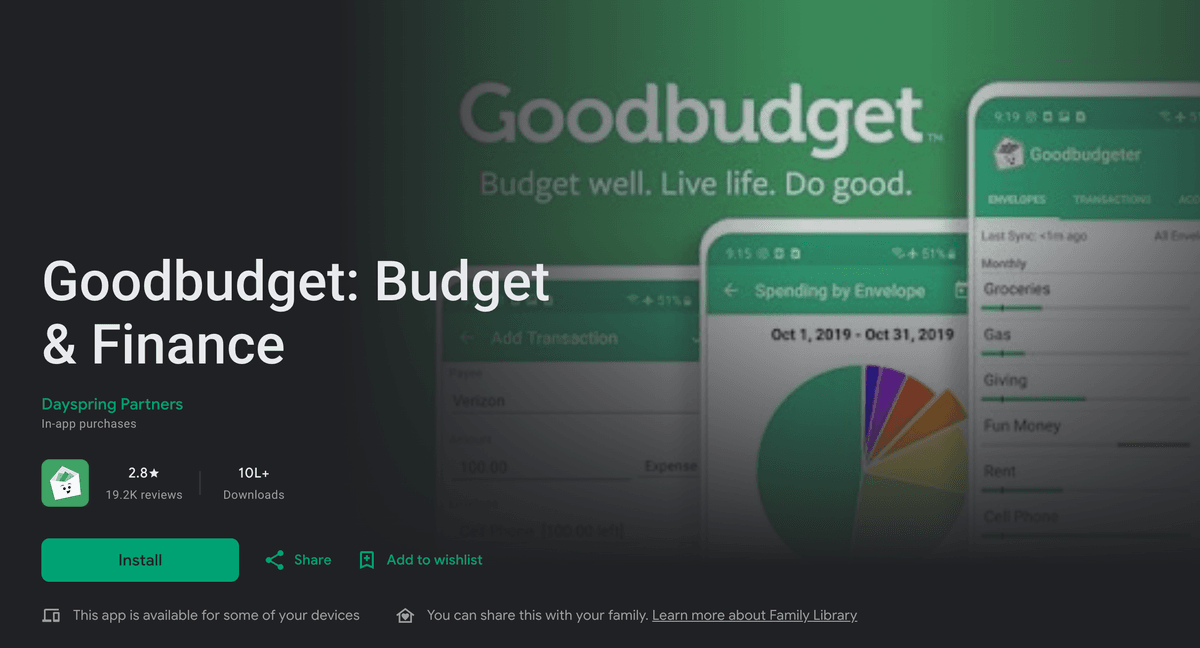
What it does well: The envelope model is easy for beginners to grasp, and it's simple to teach children with. You fund the envelopes at the start of the month, and when an envelope is empty, that category is done. Syncing across two phones means both adults draw from the same envelopes, which stops the classic problem of two people independently deciding there's room in the budget for the same thing.
Price: There's a usable free tier with a capped number of envelopes and accounts. A paid tier lifts those limits and keeps more history.
One honest drawback: Everything is manual, and the free version's envelope limit gets tight for a family with real-world categories. The interface also feels dated next to newer apps. That sounds cosmetic until you realize that an app nobody enjoys opening is an app nobody updates.
5. Cozi. Best for families who want a calendar and budget together
Who it suits: Busy households juggling school runs, activities, shopping lists, and a loose grip on spending. Cozi leans more toward family organization than serious budgeting, and for some families that's exactly the right trade.
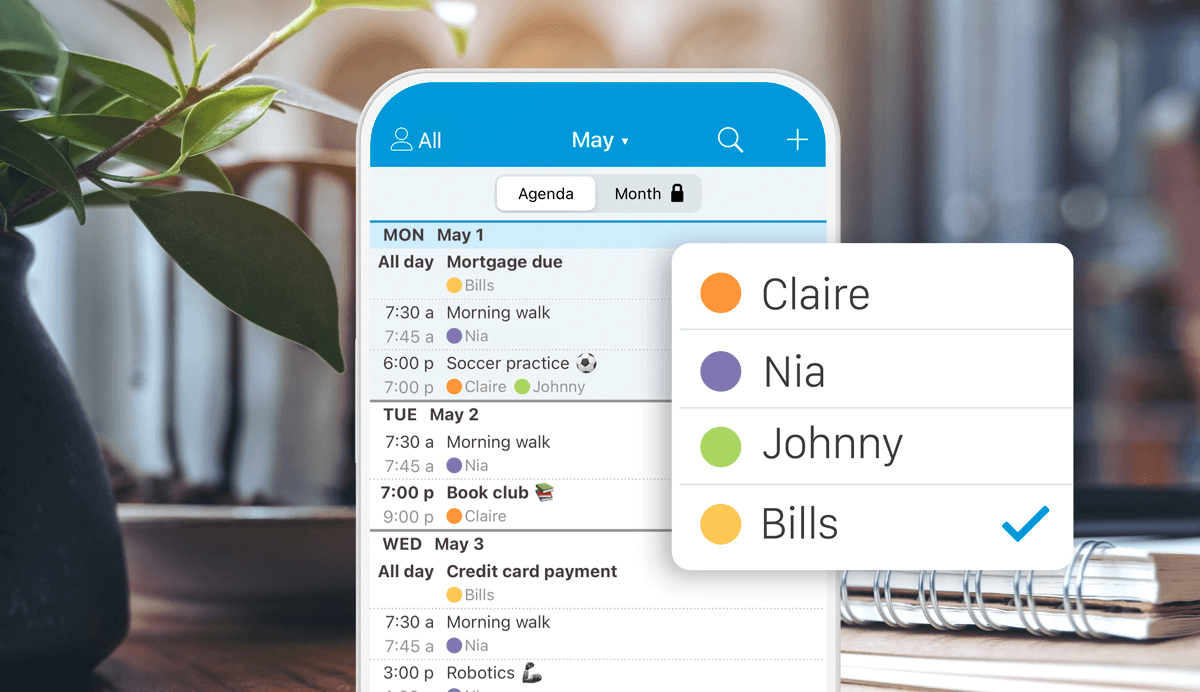
What it does well: One shared calendar, shared grocery and to-do lists, and uncomplicated spending notes sit in the same place everyone already checks. For families who will never open a dedicated finance app, bolting light money tracking onto the thing they use daily is a smart move.
Price: Free version with ads, plus a paid tier that removes them and unlocks extras.
One honest drawback: Some users have reported recent updates causing crashes that block access to the calendar and grocery list, the two features most families open it for, and the web version throws errors often enough that you end up relying on the phone app alone. There's also a charge just to add an extra family member, which is an odd place to put a paywall in an app that only works when the whole family is in it. When an update is forced, you can find yourself locked out until you upgrade.
So, what is the best family budgeting app for your household?
Start by naming the problem you actually have, because each of these apps solves a different one. If the problem is "we have no idea where the money went," a bank-syncing app earns its subscription. If the problem is "we overspend every month," a system with rules like envelopes or zero-based budgeting is worth the learning curve. If the problem is "two of us pay for things and nobody remembers who paid what," an app with separate Books and settlements will fix it faster than any dashboard. That last one is the most common question we hear from families figuring out how to track family expenses, and it's the one full-dashboard apps handle worst.

Three practical filters before you commit. First, test bank connections during the trial, especially if you use a smaller bank. A broken connection and a week of silence from support will cost you more than the subscription. Second, check what the free tier actually allows and whether adding your partner costs extra. An app that charges to include the second person in a two-person household isn't priced for families. Third, pick something everyone will open. The best system is the boring one that both adults actually maintain, and keeping shared groceries logged in one place is a simple way to stop double-buying and the arguing that comes with it.
If you want to go deeper, we've written about whether budgeting apps are worth paying for, how to build a family budget plan that holds up, and how to split shared bills fairly when more than one person is paying.
And if the no-bank-linking, separate-Books approach sounds like your household, Zedger's free plan is a fair place to test it, no card needed.
GET IT ON Google Play · Download on the App Store · Contact Sales
Tags: