Are Budgeting Apps Safe? What to Check Before Signing Up
Are budgeting apps safe? What to check before signing up: bank-linking risks, data privacy questions, how apps make money, and why a no-bank-access app suits shared expenses.

Arun Andiselvam
You downloaded a budgeting app, got to the screen that asks for your bank login, and stopped. That hesitation is healthy. Handing your account credentials to a company you'd never heard of two minutes ago deserves a second thought.
So, are budgeting apps safe? Most of the well-known ones are reasonably safe in the sense that they encrypt your data and don't get breached every week. But "safe" isn't one thing. There's the question of whether someone can steal your data. There's a separate question of whether the company sells or shares it legally. And there's a quieter question of how much access you handed over in the first place. A budgeting app that never touches your bank account carries a very different risk profile than one that holds a live connection to it, even if both have equally strong security pages.
This guide walks through what actually matters, covering what to check before you sign up and how to pick something your whole family can use without anyone feeling uneasy about it.
What "Safe" Actually Means for a Budgeting App
When people ask whether these tools are secure, they're usually bundling three distinct worries into one question.
Can my data be stolen? This is the breach question. It depends on encryption, how the company stores information, and whether they keep more than they need. Any app worth using will encrypt data in transit and at rest. That's table stakes, not a selling point.
Is the company doing something with my data I wouldn't like? This is the privacy question, and it's the one most people skip. Plenty of apps are technically secure and still build a business on your spending patterns. Anonymized transaction data has real commercial value. Some free apps are free for exactly that reason.
How much access did I actually give? This is the scope question. An app that reads your full transaction history across every account knows more about you than your closest friend does. An app where you type in what you spent knows only what you chose to tell it.
How budgeting apps protect your data starts with recognizing that the strongest protection is often not collecting the data at all. A company can't lose, sell, or mishandle information it never asked for. That's not a security feature in the technical sense, but in practice it removes an entire category of risk.
One underrated habit when comparing tools is checking how the company makes money. If there's a paid tier and the pricing is clear, the business model is straightforward: you pay, they build. If everything is free with no obvious revenue source, something else is paying the bills, and it's worth finding out what.
Bank-Linked Budgeting Apps: Risks Worth Knowing
Automatic bank syncing sounds like the obvious win. No manual entry, everything categorized, totals update themselves. In practice, there are two main bank-linked budgeting apps risks worth understanding, and neither one is dramatic enough to make headlines, which is exactly why they catch people off guard.
The first bucket is reliability. Account connections break constantly, and this is one of the most common complaints across the entire category. Sync drops, accounts disconnect, and you have to re-authenticate every few weeks. Some apps are genuinely difficult to keep working over time, and the maintenance effort quietly erodes the convenience you signed up for. Duplicate transactions show up and inflate your totals. The numbers you're basing decisions on aren't quite right. For a family trying to figure out where the month's money went, a tracker that overstates spending is arguably worse than no tracker at all, because you'll stop trusting it and stop using it.
The second bucket is access. Even when the connection works, you've granted a third party ongoing read access to your financial life. Most apps route this through an intermediary data aggregator, which means your information passes through a company you never chose and whose name you might not even recognize. That's an additional party holding your data, with its own security practices and its own privacy policy.
There's a regional wrinkle too. Availability varies a lot by country. Plenty of popular budgeting tools simply don't work outside a handful of markets, and bank connections that function fine in one region fail or were never built for another. If you're in India, or traveling across currencies, half the well-reviewed options in any listicle won't connect to your accounts at all.
None of this means bank linking is reckless. It means the convenience has a real cost, and you should decide whether you want to pay it. For shared household expenses specifically, you probably don't need it. Who paid for groceries and whether rent is settled are facts you already know, and they don't require a bank feed to discover.
Data Privacy in Budgeting Apps: The Questions Nobody Asks
Security is about keeping bad actors out. Privacy is about what the people you let in are allowed to do. Here's what to actually check when you're weighing data privacy in budgeting apps:
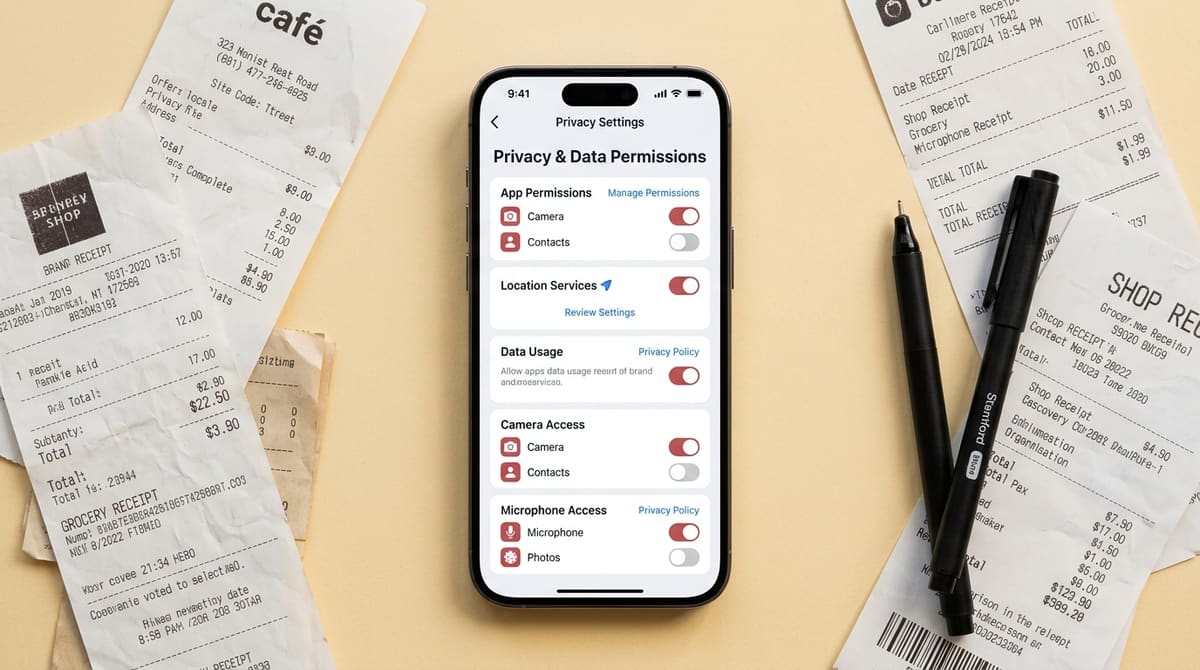
- Does the privacy policy mention selling, sharing, or monetizing data? Look for the words "third parties" and read the sentence around them. Vague language about "partners" usually means something.
- Can your data stay on your device? Local storage means your records don't live on someone else's server by default. It's a meaningful difference when you're logging what your family spends.
- What happens when you delete your account? A good app deletes your data. A less diligent one keeps it indefinitely in an "anonymized" form.
- Who's behind the app? A named team with a clear product focus is a better bet than an app that tries to be a bank, a budget, and a credit score tool all at once. Apps with sprawling, unfocused feature sets tend to attract trust concerns precisely because nobody can tell what the core business is.
- Is there a free tier with honest limits? Transparent limits usually signal transparent intentions.
On the subscription side, people fairly question why budgeting apps charge monthly fees when plenty of financial tools cost nothing. The honest answer is that paid tools don't need to monetize your data. But that only holds if the price is reasonable and the free tier is genuinely usable. Trials that run barely a week and demand a credit card upfront aren't giving you time to judge anything. A full billing cycle is the minimum needed to see whether an app fits how your household actually spends.
Choosing a Budgeting App Without Bank Access
Here's the part that surprises people. For shared and family expenses, a budgeting app without bank access is often the better tool, not a compromise.

Think about what you're actually tracking: rent split four ways, groceries one person picked up, a trip where three people paid for different things. None of that is visible in a bank feed in any useful form. A transaction labeled "SWIGGY" doesn't tell anyone who ordered or who owes. You end up editing the automated entries anyway.
Manual entry has a second advantage people underestimate: it keeps you aware. Typing in an amount makes you notice it. Automated tracking is great at producing reports and poor at producing attention.
This is the approach we built Zedger around. We never ask for bank credentials, UPI access, or OTPs. There's no connection to break, no aggregator in the middle, and nothing to re-authenticate every few weeks.
You can keep sensitive data stored locally on your device rather than only on servers. We don't sell your data, and we don't need to, because the paid plans are what fund the app. It also works offline. You can log expenses on a trek with no signal and everything syncs when you're back in range, which matters more than it sounds like when you're splitting costs on a trip through places with patchy coverage.
The structure is built around separate Books rather than one long mixed list. A Family Book handles household spending. A Trip Book covers a holiday. A Recurring Book takes care of rent and monthly bills that would otherwise need re-entering every cycle. Smart Settlements works out who owes what at the end without anyone doing arithmetic on a notes app. The Family Expense Tracker App is used by many families, and the free plan gives you four Books, ten members per Book, and six months of expense history, enough to run a real household before deciding whether to pay anything.
Is This the Safest Family Budgeting App Approach?
We'd rather be precise than boastful. There's no single safest family budgeting app, because safety depends on what you need the app to do. If you want automatic investment tracking, you'll have to accept bank connections and the trade-offs that come with them.
But if your goal is shared household and group spending, the lowest-risk setup is clear: no bank credentials, data you can keep on your device, and a company whose revenue comes from subscriptions rather than data. Zedger's Pro plan is $1 a month, or $8.99 a year, and VIP is $1.99 a month or $17.99 a year. You can start free, try the paid features without entering card details, and downgrade whenever you want.
A few things we'd genuinely like to see across the category, ours included: rolling twelve-month spending views instead of calendar-year resets, inflation-adjusted comparisons so growing expenses can be read properly, and priority tiers for bills so you can fund the essential ones first and toggle them off as they're paid. Those are real gaps, and anyone claiming the perfect budgeting app exists today isn't paying attention.
If you're comparing specific options, our rundown of the best family budgeting apps goes deeper on features and pricing. And if you're still deciding whether to use one at all, see are budgeting apps worth it.
So, Are Finance Apps Safe to Use?
Mostly, yes, but the honest version of that answer has conditions attached. For your family's shared expenses, the answer comes down to the same few conditions: they are, if you choose one that asks for the minimum it needs, tells you plainly how it earns money, and lets you leave with your data deleted.
The practical checklist is short. Read the privacy policy's third-party section, and find out how the company is funded. Ask whether bank linking is giving you anything you couldn't type in yourself. Check that the app works in your country and your currency before you invest time in setup. Give yourself longer than a week to decide.
Good budgeting app security isn't about certifications on a landing page. It's about how little the app needs from you in the first place.
GET IT ON Google Play · Download on the App Store · Running a housing society or a larger organization? Contact Sales.
Tags: