Easy to Use Budget App Free for Tracking Shared Expenses
What makes a budget app genuinely easy to use? Fast entry, separate books, offline mode and no bank login, plus what a free plan should include for shared expenses.

Arun Andiselvam

If you're searching for an easy to use budget app free of charge, you've probably already downloaded two or three. You poked around for ten minutes and quietly deleted them. That's not a you problem. Most budgeting apps are built like accounting software with a friendlier color scheme. The moment real life shows up, a shared grocery run, a trip with friends, three people chipping in for a gift, they start asking you to do work the app should be doing.
So here's the short answer before we get into the detail. A genuinely simple budget app does four things. It lets you add an expense in a few taps. It keeps different kinds of spending separate instead of dumping everything into one long list. It works when your signal doesn't, and it doesn't ask for your bank login to function. Everything else is decoration. If an app nails those four, you'll still be using it in six months, and if it doesn't, you won't.
A genuinely simple tool looks different from one that's just easy-looking on the download page, and the gap only shows up once you actually use it day to day. We'll also look at how to tell a simple tool from one that's just easy-looking on the download page.
What "Easy to Use" Really Means in a Budgeting App
Easy isn't about how pretty the charts are. Easy is measured in friction, in how much effort stands between you spending ₹400 on vegetables and that ₹400 being recorded somewhere useful.

The first test is entry speed. If logging an expense takes more than a handful of taps, you'll skip it when you're standing in a queue. A budget with gaps in it is worse than no budget at all, because it lies to you. Look for an app where the add-expense button is the most obvious thing on the screen, where categories are a quick pick rather than a menu dive, and where you can add who paid without filling out a form.
The second test is whether the app makes sense to someone who has never budgeted before. Beginners don't need envelope systems or zero-based allocation. They need to see what came in, what went out, and who owes whom. An app that opens on a dashboard full of terms you'd have to Google has already failed the easy test.
The third test is honesty about effort. Some apps promise everything happens automatically, then quietly require you to review, re-categorize, and correct every transaction. Manual entry that takes five seconds beats automatic entry that takes five minutes of cleanup. We'd rather you tap twice and trust the number.
There's something underrated here too. People genuinely enjoy having a clear, sharp-looking picture of their money. Building a budget view you're a little proud of, one you'd happily show your partner or your flatmates, turns a chore into something you actually open. Simplicity isn't just convenience. It's the thing that keeps you coming back.
Where Free Budgeting Apps Usually Fall Apart
Most free budget apps don't fail at the start. They fail around week three, and they tend to fail in the same predictable ways.
The biggest one is bank syncing. Apps that connect to your accounts disconnect constantly. A bank changes something on its end, the link breaks, and you're re-authenticating for the third time this month. Until you notice, your spending picture is quietly wrong.
For a lot of people in India, there's a second layer to this. Handing over bank credentials, UPI access, or OTPs to an app you downloaded yesterday just doesn't feel right, and no amount of marketing copy makes that feeling go away.
The second failure mode is updates that break what used to work. It happens more often than you'd expect. Month-to-month category comparisons stop loading, the spending breakdown screen crashes when you tap it, and a feature you relied on is simply gone. You didn't change anything, the app did.
The third is arithmetic you can't trust. When the total at the top doesn't match the transactions below it, sometimes off by a notable amount even though every line item looks correct, the whole thing collapses. When reconciliation tools break, you end up manually walking back through months of records trying to find where the error crept in. At that point you're doing more work than a spreadsheet would have cost you.
The fourth is complexity dressed up as power. Apps pile on features, and real-life expense splits, the uneven ones, the "she paid for dinner but he covered the cab" ones, still don't fit. You end up bending your actual situation to match the app's model.
The Easiest Way to Track Expenses When Money Is Shared
Here's where most general budgeting tools miss entirely. They're built for one person's money. Real households, flats, and friend groups don't work that way.

The easiest way to track expenses that more than one person contributes to is to stop mixing them. Rent and electricity are not the same category of thing as last weekend's trip to Goa. When they share one feed, you spend your evenings scrolling and squinting instead of getting a straight answer.
That's the thinking behind Books in Zedger. A Family Book holds household spending, groceries, school fees, bills, the stuff everyone in the house contributes to. A Trip Book exists only for one trip, so when the trip ends, the math ends with it. A Recurring Book handles rent and subscriptions that repeat every month, so you're not re-entering the same ₹18,000 on the same date forever.
Each Book has its own members, its own total, and its own settlement. Keeping shared costs in a dedicated place also does something less obvious: it removes the argument. When there's a shared record everyone can see, nobody has to remember who covered the vegetables last Tuesday or whether the internet bill was split evenly. The disagreements about shared groceries and utilities mostly disappear, because there's nothing left to disagree about. The ledger says what it says.
For families specifically, we built this out in detail in our family expense tracker app, where the focus is household tracking rather than debt-style "you owe me" accounting. Families who try it tend to say the same thing: the shared side of money stops being a source of friction.
What a Free Plan Should Actually Give You
"Free" is where a lot of apps get slippery. You download something advertised as free, use it for a week, and hit a wall asking for a card.
Short trials are a particular frustration. A week is not long enough to evaluate a money app. Income arrives on different dates, bills land unevenly, and a trip or festival month looks nothing like an ordinary one. You need at least a full cycle, ideally two, before you can honestly say whether a tool fits your life. Anything shorter is testing the interface, not the usefulness.
The other fair question people ask is why budgeting apps charge monthly subscriptions at all when the underlying job isn't complicated. Recording numbers and dividing them is basic arithmetic. We think that's a reasonable thing to ask, and our answer is to keep the free plan genuinely usable and the paid tiers cheap.
Zedger's free plan gives you six months of expense history, four Books, and up to ten members per Book. For most families and flat shares, that's the whole job. If you need more, longer history, more Books, more members, Pro is $1 a month or $8.99 a year, and VIP is $1.99 a month or $17.99 a year, both saving 25% on the annual option. The trial doesn't ask for a card, and you can downgrade whenever you like.
If you're weighing options side by side, our rundown of the best family budgeting apps lays out what different tools are good at.
Choosing a Good Expense Tracker App for iPhone or Android
Phone choice matters less than people think, but a few things are worth checking before you commit.
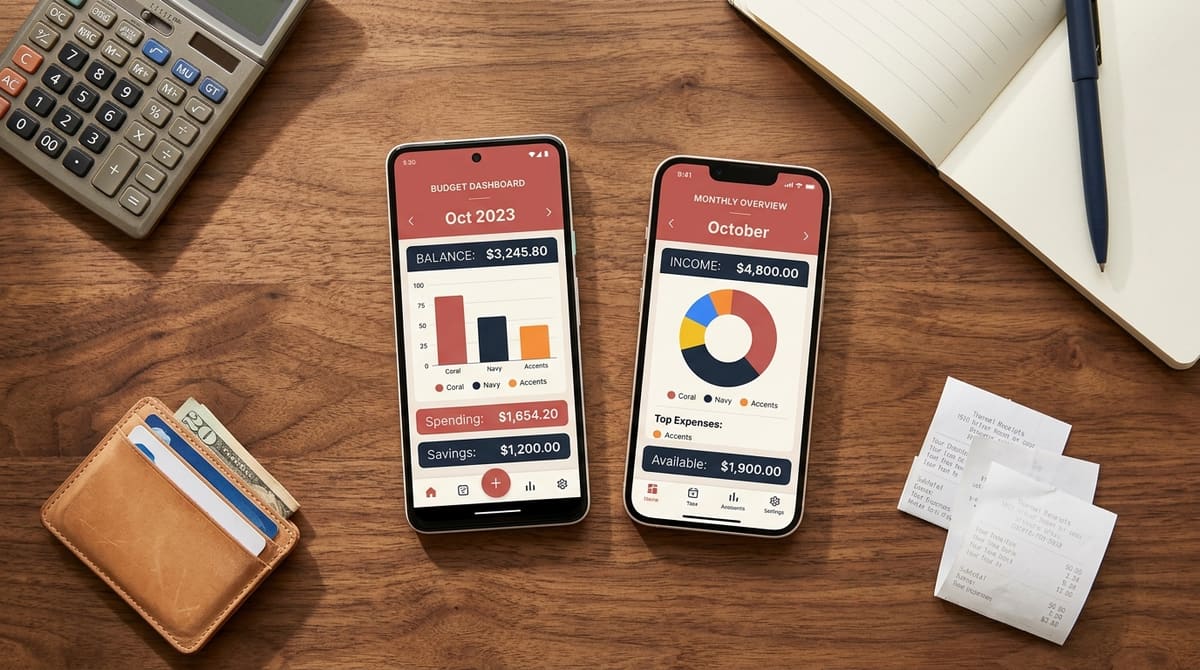
Fast launch and sensible gestures matter more than any single feature on the spec sheet, and the same standard applies whether you're on iPhone or Android. If the app is slow to open, you won't log the small expenses, and small expenses are where budgets quietly leak.
Offline support is the one people forget until it bites them. You're at a hill station with one bar of signal, or in a basement parking lot, or on a flight, and the app won't record anything. Zedger is offline-first. Add expenses with no connection at all, and they sync automatically when you're back online. For travelers splitting costs across currencies, that's not a nice-to-have.
Check what happens to your data too. An app that works without bank linking has far less of your sensitive information to lose in the first place. Zedger never asks for bank credentials or UPI access, data is encrypted, we don't sell it, and there's a local storage option if you'd rather sensitive records stay on your device.
Finally, look at how settlement works. The best household expense tracker app for iPhone or Android isn't the one with the most charts. It's the one that tells you, in one line, who pays whom to make everything even. Smart Settlements does exactly that, reducing a tangle of part-payments into the smallest number of transfers.
Getting Started Without Overthinking It
Pick one Book and start there. If you live with family, open a Family Book and log a week of normal spending, groceries, fuel, bills, whatever happens. Don't categorize perfectly, and don't backfill three months. Just get a week of honest data.
After that week, you'll know two things: roughly where your money goes, and whether the app you chose is one you'll keep opening. That second answer matters more. An easy to use expense tracker app you actually use beats a sophisticated one you abandon, every single time.
If Zedger looks like the right fit, it's free to start and there's no card required for the trial.
GET IT ON Google Play · Download on the App Store
Managing expenses for a housing society or a larger organization? Contact Sales and we'll talk through a custom setup.
Tags: