How to Track Household Expenses: A Simple Beginner Guide
How to track household expenses in six simple steps: what counts, where to record it, separate books, logging habits, recurring bills and a monthly review.

Arun Andiselvam

One place where every shared cost lands, categories that actually tell you something, and a monthly rhythm that takes a few minutes instead of a whole Sunday. No bank logins, no twenty-tab spreadsheet, no guilt.
Most people who want to learn how to track household expenses don't need a finance degree. They need to stop guessing where the money went. If you've ever stood in the kitchen trying to remember who paid for the gas cylinder, you already know the problem, so let's fix it step by step.
Step 1: Decide what counts as a household expense
Before you track anything, agree on what counts as a household expense. This sounds obvious, and it's also the step almost everyone skips.

A household expense is a cost that serves the home rather than one person. Rent, utilities, groceries, cooking gas, internet, maid or help, school fees, repairs, fuel for the shared vehicle, and the long tail of small stuff like bulbs and cleaning supplies. Personal expenses are everything else: your gym membership, your coffee habit, your sibling's birthday gift.
Write the list down somewhere everyone can see it. If you share the house with a partner, parents, or roommates, do this together in one conversation. It takes fifteen minutes and prevents months of low-grade friction.
Decide the grey areas now, rather than leaving them hanging. Is a food delivery order for two people a household expense or a personal one? There's no universally correct answer, but there is a right answer for your house. Decide it now, while nobody's annoyed, rather than later when someone feels they're paying more than their share.
Step 2: Pick one place to record everything
The best tracking system is the one you'll still be using in March, which means picking a single home for the data and sticking with it.
You have three realistic options. A notebook works and costs nothing, but you can't total it quickly or share it. A spreadsheet gives you control and is genuinely powerful. People with zero spreadsheet experience can follow a decent tutorial and have something functional within minutes. A dedicated app handles the math, the sharing, and the reminders for you.
If you go the spreadsheet route, be ready for the upkeep that comes with it. The two problems that trip people up most often are formulas that look right but return nothing, and lookups that break on invisible characters. When your expenses won't populate into the summary, it's usually because the SUMIFS formula needs to be written for that specific category rather than copied from the generic example. When a MATCH formula throws an #N/A error, the culprit is almost always stray spacing in your month names, and wrapping the reference in TRIM clears it. Neither is hard to fix, but both are the kind of thing that makes a tired person give up on a Tuesday night.
Avoid running two systems at once. A notes app for groceries, a spreadsheet for bills, and a group chat for everything else isn't a system. It's three half-systems that disagree with each other. Pick one place to record everything, and move everything there.
Step 3: Separate your expenses instead of mixing them
Here's the single change that makes the biggest difference, and it's the one beginners rarely make early enough. Stop putting every expense in one long list.
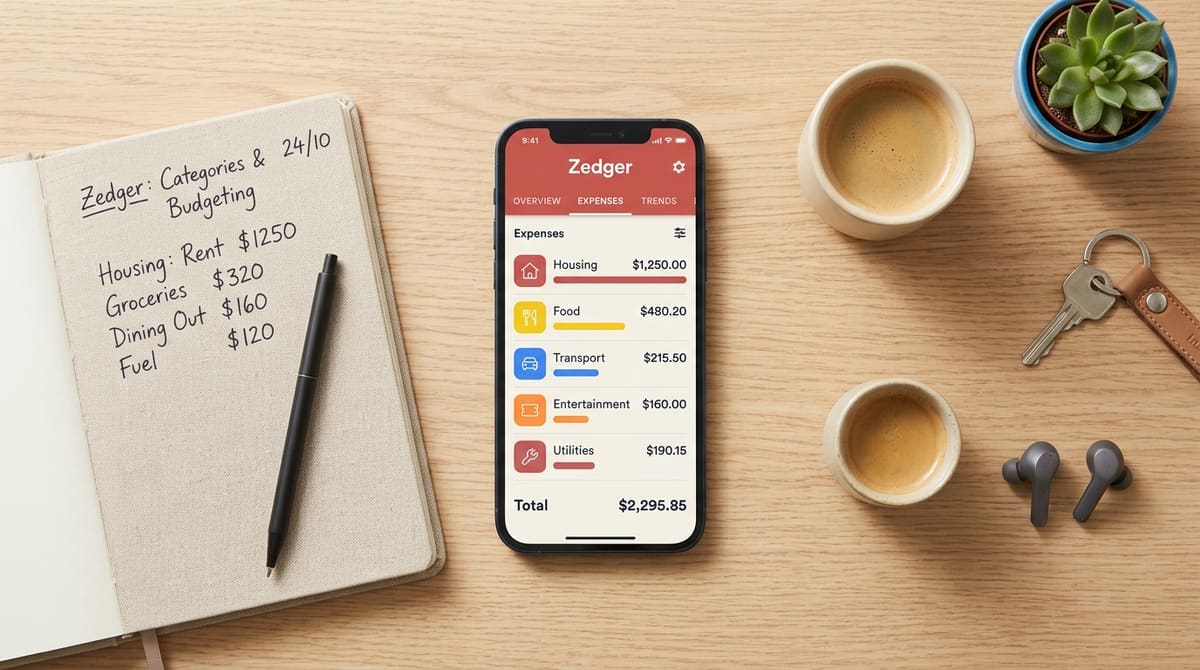
Household running costs, a trip you're planning with friends, and rent that recurs on the same date every month are different animals. Mixed together, they produce a total that tells you nothing. Separated, each one answers a specific question: Am I overspending on groceries? Did everyone pay their share of the Goa trip?
This is why we built Zedger around Books rather than one giant feed. A Family Book holds the household running costs. A Trip Book holds the vacation. A Recurring Book holds rent, subscriptions, and the bills that show up whether you think about them or not. You can see each one cleanly, and you can close a Trip Book when the trip ends without it polluting your household history.
The same logic applies inside a category. Splitting expenses into separate subtables by category, such as groceries or utilities, rather than burying them in a single total makes overspending visually obvious. You stop seeing "₹48,000 spent this month" and start seeing "groceries are up by a third." One of those is a number. The other is something you can act on.
Don't create so many categories that logging becomes a chore. Six to eight is plenty for most households. You can always split one later.
Step 4: Log expenses the moment they happen
Memory is the weakest link in any tracking system, and nobody reconstructs a week of spending accurately. The attempt is miserable enough that most people quit after two tries.
So make logging take ten seconds. Pay, open the app, enter the amount, pick the category, done, right there on your phone at the counter. This is a system that holds up over months, rather than one you'll abandon after a few weeks, because it never builds into a backlog.
If you're sharing the house, everyone logs their own spending. This is where apps pull decisively ahead of paper. When shared costs live in one place that everyone can see and add to, the arguments about grocery money largely stop happening. Not because people become more generous, but because there's nothing left to argue about: the record is right there, with names and dates attached.
A practical habit worth copying from well-run shared houses: ask for each person's share before the bill's due date, not after you've paid it. Log the bill amount, the due date, and the date each person actually paid. That last column is what turns a list into accountability, since people pay faster when the gap between "owed" and "paid" is visible to everyone.
Don't wait for the perfect entry. If you don't know the exact split yet, log the full amount with a note and fix it later. A rough entry today beats an accurate one you never make.
Step 5: Automate the bills that never change
Rent, internet, subscriptions, and school fees repeat on a schedule and don't need to be typed in twelve times a year. Manual re-entry of regular bills is one of the fastest ways to abandon a tracking habit, because it's tedious work with no reward.
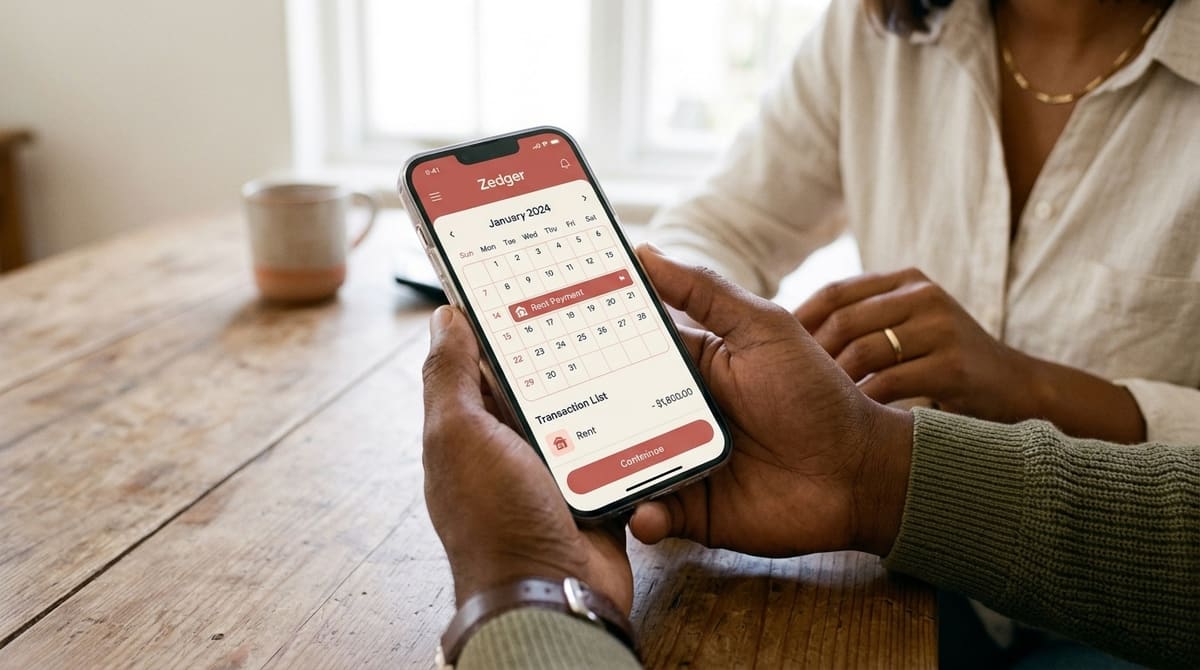
Set them up once as recurring entries. In Zedger, a Recurring Book handles this. The expense appears on schedule, split the way you set it, and you only touch it when the amount changes. That frees your attention for variable spending, which is where the actual decisions live.
Nobody saves money by rethinking their rent each month. They save it by noticing that four small grocery runs a week cost more than one planned one. Worth saying plainly, since it comes up constantly: none of this requires linking your bank account. Zedger never asks for bank credentials, UPI access, or OTPs, and your data can stay on your device rather than only on a server. It also works offline. Add an expense with no signal, and it syncs when you're back online, which is useful at home during an outage and essential on a trip.
Don't automate a bill and then never review it. Set a reminder to check your recurring list twice a year. Subscriptions you forgot about are the quietest money leak in most households.
Step 6: Review monthly, then settle up
A tracker you never read is a diary, not a tool. Once a month, pick a date and make it the same one each time, then sit down for fifteen minutes and look at what you spent in total, which categories moved most against last month, and who owes whom.
The settling part matters more than people expect, since running balances that drift for months turn into awkward conversations. Zedger's Smart Settlements works out the minimum set of payments needed to clear everything, so instead of five people sending money in six directions, you get two transfers and a clean slate.
Some households avoid settlements altogether with a shared pot. Both partners deposit a proportional share of their income into a joint account each month, and every common expense comes out of that account only. It's a tidy approach, it scales with unequal incomes, and it still needs tracking, since you want to know what the pot is being spent on even if nobody owes anybody.
One more habit worth building: extend your monthly view into a year-end one. Twelve months of category totals on a single sheet shows you the patterns a single month hides, like the seasonal spikes, the slow creep in utilities, and the festival months that always run hot. That's the view that actually changes next year's budget.
Don't review alone and report the verdict to everyone else. Do the review together, since people defend budgets they helped read.
So what is the best app for tracking daily expenses?
Honestly, it's the one your household will all open. Features matter less than shared adoption, and a simple tracker everyone uses beats a sophisticated one that only you touch.
That said, a few things separate the tools that last from the ones that get deleted. Separate Books for different purposes, so your trip doesn't contaminate your household numbers. No bank linking, so nobody's nervous about signing up. Offline entry, so a weak signal doesn't break the habit.
Pricing matters too, and it shouldn't make you think twice. Zedger's free plan covers 6 months of expense history, 4 books, and 10 members per book, which is enough for most families indefinitely. Pro is $1/month, VIP is $1.99/month, and you can downgrade whenever you like.
If you want the longer comparison, read our guide to the best family budgeting app, or see how the Family Expense Tracker App handles household spending specifically.
Ready to start? GET IT ON Google Play or Download on the App Store. Managing a housing society or a larger organization? Contact Sales.
Tags: